If you've ever typed "iris.fbr.gov.pk" into your browser and felt a small wave of dread, you're in good company. Millions of Pakistanis — salaried employees, freelancers, shopkeepers, and overseas workers — go through the same ritual every tax season: hunting for their CNIC number, guessing their password, and hoping the captcha finally loads. The good news is that FBR IRIS login isn't complicated once you understand the logic behind it. This guide walks you through the entire process step by step, using the 2026 version of the portal, so you can log in, register, recover your account, and file your return without wasting an afternoon on hold with the FBR helpline.
By the end of this article, you'll also understand how your IRIS login connects to bigger things — your Active Taxpayer List (ATL) status, your income tax return, and even your property or vehicle tax obligations. Let's get into it.
What Is FBR IRIS?
FBR IRIS stands for Integrated Revenue Information System, and it's the official online portal built by the Federal Board of Revenue (FBR) to manage Pakistan's entire tax ecosystem digitally. Before IRIS existed, filing a tax return meant physical paperwork, long queues, and a lot of guesswork. Today, IRIS is essentially your personal tax command center — it's where you register as a taxpayer, obtain your NTN, file your annual income tax return, submit your wealth statement, generate payment slips (PSID), and check whether you're listed as an active filer.
Think of FBR IRIS login the same way you'd think of online banking login — it's the single gateway to everything the tax authority knows about your financial profile. If you want the fuller picture of what the portal covers beyond login (registration, notices, certificates), our detailed FBR IRIS Portal Guide 2026-2027 walks through the entire ecosystem.
Why FBR IRIS Login Matters in 2026
Pakistan has historically struggled with a low tax-to-GDP ratio, and the government's response has been to push almost everything into digital compliance. The Finance Act has tightened penalties for people who don't file returns, and being absent from the Active Taxpayer List (ATL) now comes with real financial consequences — higher withholding tax on banking transactions, vehicle registration, property transfers, and even mobile phone bills.
In practical terms, that means your FBR IRIS login isn't just an annual chore — it's the difference between paying standard tax rates and paying the elevated non-filer rates on almost every major transaction you make during the year. If you're still unsure whether becoming a filer is worth it, our guide on how to become a tax filer in Pakistan breaks down the exact math.
Documents You Need Before FBR IRIS Login or Registration
Before you even open the login page, have these ready:
- Your CNIC number (13 digits, no dashes)
- A Pakistani mobile number registered in your name (for OTP verification)
- A valid email address
- Your employer's NTN and salary certificate (for salaried individuals)
- Bank account details (for refunds or payment verification)
- Business registration documents (if you're registering as an AOP or company)
Having these on hand before you start saves you from the most common registration failure: a mismatched or incomplete profile that gets rejected halfway through.
How to Register on FBR IRIS (First-Time Users)
If you've never used IRIS before, you need to create an account before any login is possible. Here's the process:
- Go to the official portal at iris.fbr.gov.pk.
- Click "Registration for Unregistered Person" on the homepage.
- Enter your CNIC, full name (exactly as it appears on your CNIC), date of birth, and contact details.
- The system cross-checks your CNIC against the NADRA database automatically.
- You'll receive an OTP on your registered mobile number — enter it to verify.
- Set a password that meets the complexity requirements (a mix of letters, numbers, and symbols).
- Submit. Your NTN and IRIS credentials are generated instantly.
One detail that trips people up constantly: your name must match your CNIC exactly. If your degree, bank account, or utility bill spells your name differently, resolve that with NADRA first — IRIS treats your CNIC as the single source of truth.
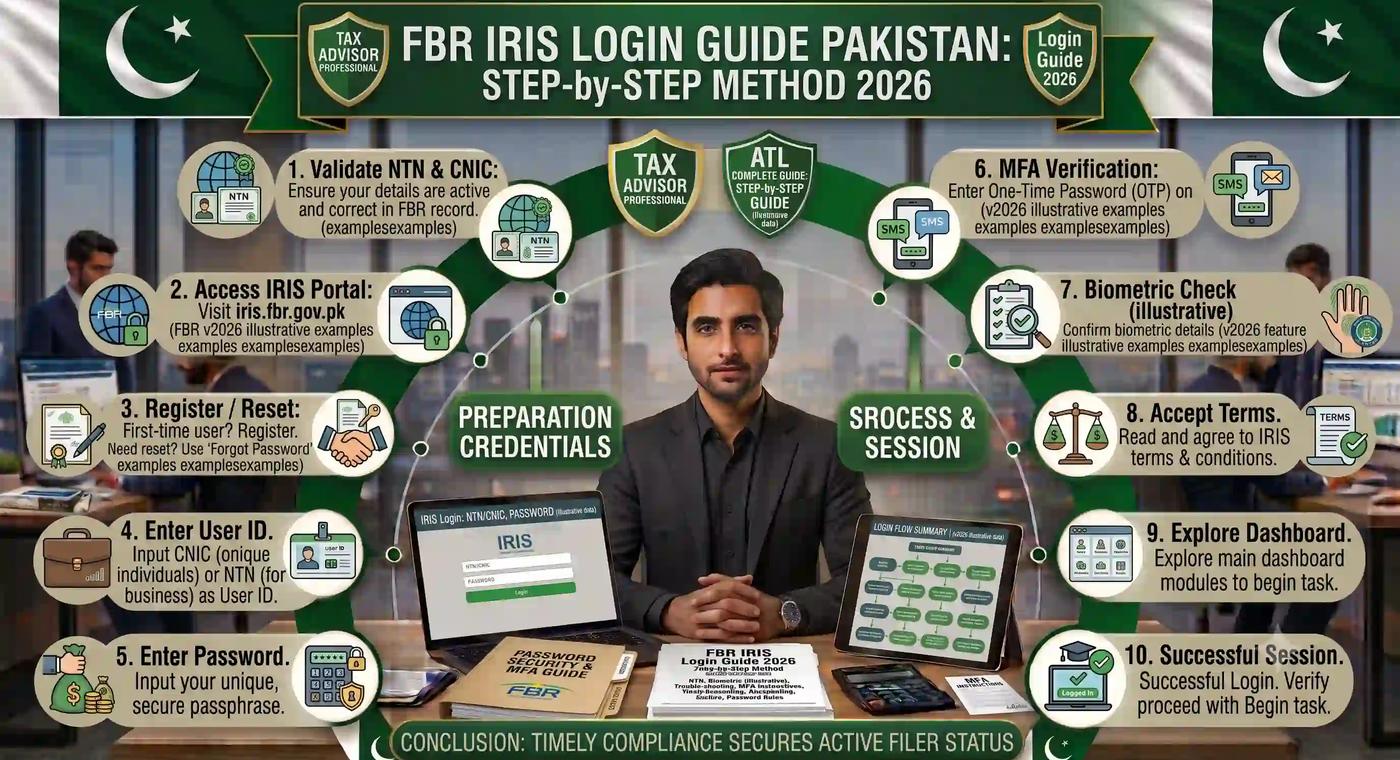
FBR IRIS Login Guide Pakistan — Step-by-Step Method 2026
Once you're registered, logging in is genuinely simple. Here's the exact method:
Step 1: Visit the official IRIS portal Type iris.fbr.gov.pk directly into your browser. Never click login links shared through WhatsApp, SMS, or Facebook — more on phishing risks later.
Step 2: Click "Taxpayer Login" This button sits on the main homepage.
Step 3: Enter your CNIC as the username Type your 13-digit CNIC without dashes. So instead of 35202-1234567-8, you'd enter 3520212345678. This single formatting mistake is responsible for a huge share of failed login attempts.
Step 4: Enter your IRIS password Make sure there are no accidental spaces before or after your password — copy-pasting from a notes app is often the culprit here.
Step 5: Complete the captcha verification Type the characters exactly as shown. If the captcha looks broken or won't load, refresh the page or switch browsers (Chrome and Firefox tend to work best; Internet Explorer and outdated browsers cause frequent errors).
Step 6: Click "Login" You'll land on your IRIS dashboard, which displays your tax profile, previously filed returns, pending notices, payment history, and current ATL status — all in one place.
That's the entire process. No physical visit to an FBR office required.
Forgot Password? How to Reset Your FBR IRIS Login
Password issues are the number one reason people get stuck. Here's the recovery flow:
- On the login page, click "Forgot Password."
- Enter your registered CNIC.
- Choose your verification method — SMS OTP or email.
- Enter the OTP you receive.
- Set a new password and confirm it.
- Log in again with your updated credentials.
If you no longer have access to the mobile number or email tied to your account, you'll need to visit your nearest Regional Tax Office (RTO) with your CNIC for manual verification — IRIS won't let you self-recover without at least one working contact channel.
Common FBR IRIS Login Errors and How to Fix Them
| Common FBR IRIS Login Errors and How to Fix Them | ||
|---|---|---|
| Problem | Likely Cause | Fix |
| "Invalid Credentials" | CNIC entered with dashes, or wrong password | Remove dashes; check password carefully |
| Captcha not loading | Browser compatibility or slow connection | Switch to Chrome/Firefox, clear cache |
| Session timeout | Portal traffic overload near deadlines | Try logging in during off-peak hours (early morning) |
| "Select Name" error | Name mismatch with NADRA records | Update CNIC details with NADRA first |
| Portal appears down | High traffic near filing deadlines | Wait and retry, or use late-night hours |
| OTP not received | Mobile number not registered correctly | Confirm number with your mobile network provider |
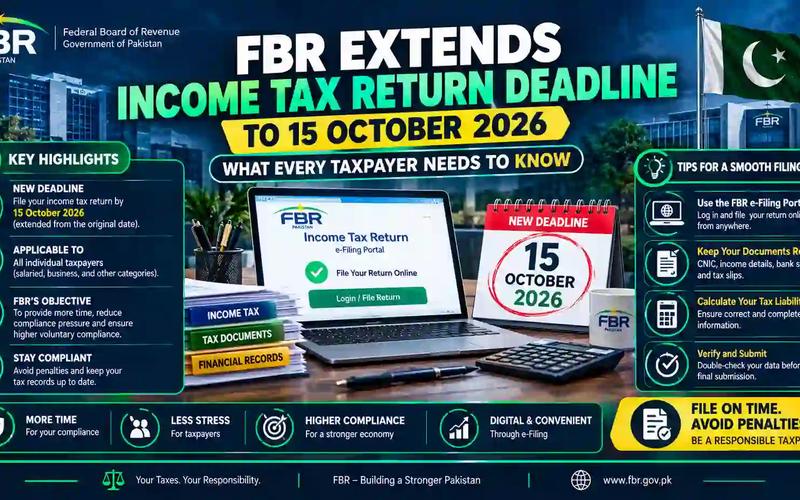
If you're filing close to the deadline, expect heavier server load — our guide on the income tax return deadline in Pakistan explains why logging in a few weeks early saves you a lot of frustration.
FBR IRIS Login for Different Types of Taxpayers
Not every taxpayer uses IRIS the same way. Here's how the login and follow-up steps differ:
Salaried individuals: After login, you'll mainly need your employer's NTN and annual salary certificate to populate your income section correctly.
Freelancers: Your income is usually reported under "business income" or "other sources," depending on how you're paid. If you're earning through international platforms, you may also want to understand salary tax vs income tax in Pakistan since the two are calculated differently.
Business owners: Beyond income tax login, you may also need Sales Tax Registration through the "Registration" menu, which generates a separate STRN.
Overseas Pakistanis: Since OTP verification requires a Pakistani mobile number, overseas users sometimes need to coordinate with a family member or request alternative verification through FBR directly.
How to File Your Income Tax Return After Logging In
Once you're inside the dashboard, filing your return follows this pattern:
- Click "Declaration" from the left panel, then select "Income Tax Return."
- Choose the correct tax year — for the 2026 filing cycle, this generally means selecting Tax Year 2025 (the period the return actually covers).
- Enter your income details: salary, business income, rental income, freelance earnings, or bank profit.
- Add applicable deductions and tax credits — provident fund contributions, life insurance premiums, and education expenses are common ones.
- Review your computed tax liability.
- If tax is payable, generate a PSID (Payment Slip ID) and pay through your bank or a mobile wallet.
- Submit the return and download your Acknowledgement Slip as proof of filing.
If the numbers feel overwhelming, running your figures through a dedicated Pakistan income tax calculator before you even open IRIS gives you a realistic estimate, so there are no surprises when the portal calculates your final liability. Salaried employees specifically may find it faster to start with a salary tax calculator and cross-check against the updated salary tax slabs breakdown.
IRIS Login and the Active Taxpayer List (ATL)
Every time you log into IRIS and successfully file your return, your name eventually appears on the Active Taxpayer List (ATL) — the official record FBR uses to distinguish filers from non-filers. This status affects the withholding tax rate you pay on almost everything: banking transactions, vehicle registration, property purchases, and profit on savings.
You can check your ATL status three ways: through the IRIS portal directly, by sending your CNIC via SMS to 9966, or by downloading the published ATL list from the FBR website. For a full walkthrough, see our dedicated guide on checking your FBR Active Taxpayer List (ATL) status.
Here's why it matters in real numbers: two people can complete the exact same bank withdrawal or car registration, and the non-filer will pay noticeably more in withholding tax simply because their name isn't on the ATL. If you want to look at legitimate ways to reduce your overall tax burden as a filer, our guide on how to reduce salary tax legally in Pakistan is worth reading alongside this one.
FBR IRIS Login by City: Islamabad, Lahore, Karachi
While the IRIS portal itself is national and works identically regardless of where you live, your provincial tax obligations — property tax, vehicle token tax, and excise matters — are handled through separate regional systems that often connect back to your FBR profile.
- Islamabad residents dealing with vehicle token tax or property-related excise matters can check our guide on Excise and Taxation Islamabad online verification and tax payment.
- For a broader look at how excise and taxation departments function across Pakistan, see Excise and Taxation Pakistan.
- Punjab vehicle owners (including Lahore) can reference the Punjab vehicle verification and token tax guide.
- Sindh vehicle owners (including Karachi) should check the Sindh vehicle verification and token tax guide instead, since the process and rates differ by province.
- If you're comparing token tax rules across provinces, our vehicle verification and token tax comparison lays out the differences side by side, and our vehicle tax registration fee calculator guide helps you estimate costs before you pay.
IRIS 2.0 vs the Older IRIS Portal
FBR has continued refining the portal, and most users now interact with what's commonly called IRIS 2.0 — a modernized interface with improved navigation and multi-factor authentication.
| IRIS 2.0 vs the Older IRIS Portal | ||
|---|---|---|
| Feature | Old IRIS | IRIS 2.0 (Current) |
| Login method | CNIC + password only | CNIC/NTN + password + MFA |
| Interface | Basic, form-heavy | Streamlined dashboard |
| Mobile responsiveness | Limited | Improved |
| Session handling | Frequent timeouts | More stable, though still busy near deadlines |
| Document upload | Manual, slower | Faster drag-and-drop style uploads |
If you're used to the older layout, don't worry — the underlying login logic (CNIC without dashes, password, captcha) hasn't changed.
How Tax Calculators Make FBR IRIS Login Easier
One of the most underrated tips for a smooth IRIS session is doing your math before you log in, not during. Filling in return fields while simultaneously trying to calculate your own tax liability is exactly how people end up making entry errors or abandoning the return halfway through.
Instead, run your numbers through a purpose-built calculator first:
- A salary tax calculator for employed individuals
- The general FBR tax calculator guide for a broader overview of current rates
- Updated FBR tax slabs for 2026-2027 so you know exactly which bracket you fall into
- If you own property, the FBR property tax and DC rates guide for 2026 helps you estimate obligations tied to your wealth statement
- If you own a vehicle, the Pakistan vehicle token tax calculator guide helps you plan for that expense separately
Freelancers and small online sellers dealing with cross-border transactions may also want to understand e-commerce sales tax nexus, especially if part of your income comes from international clients. And if you split time between Pakistan and the US, or have US-source income, our US federal income tax calculator guide is a useful companion resource.
Having your estimated liability ready before you log in turns a 40-minute IRIS session into a 10-minute one.
Security Tips: Avoiding Fake FBR IRIS Login Pages
Phishing is a real problem around tax season. Keep these rules in mind:
- Only ever type iris.fbr.gov.pk directly into your browser — never click login links from WhatsApp, SMS, or unofficial social media pages.
- FBR and IRIS will never ask for your password or OTP over a phone call.
- Double-check the URL for subtle misspellings before entering any credentials.
- Bookmark the official portal once verified, so you're not searching for it every time.
For official confirmation of any policy update or portal change, always cross-reference the Federal Board of Revenue's official website or log in directly at iris.fbr.gov.pk rather than trusting third-party screenshots.
Frequently Asked Questions
What is FBR IRIS login used for? FBR IRIS login gives you access to Pakistan's official online tax portal, where you can register as a taxpayer, file income tax returns, submit wealth statements, generate payment slips, and check your Active Taxpayer List status.
What is my username for FBR IRIS login? Your CNIC number, entered without dashes, serves as your username for individual accounts. Businesses typically use their NTN instead.
Can I use my NTN instead of my CNIC to log in? Yes — companies, AOPs, and registered business entities log in using their NTN, while individual taxpayers use their CNIC.
Why does FBR IRIS keep showing a captcha error? This is usually caused by browser incompatibility or a slow connection. Switching to Chrome or Firefox and clearing your cache typically resolves it.
How do I reset my forgotten FBR IRIS password? Click "Forgot Password" on the login page, verify through SMS or email OTP, and set a new password. If you no longer control your registered contact details, you'll need to visit an RTO in person.
Is iris.fbr.gov.pk the only official portal? Yes. Always type the URL directly rather than following shared links, since fake login pages designed to steal CNIC and password details do circulate, especially near filing deadlines.
Conclusion: Your Next Step After Logging Into FBR IRIS
Logging into FBR IRIS is the easy part once you know the exact sequence — CNIC without dashes, correct password, captcha, and you're in. The real value, though, comes from what you do once you're inside: filing accurately, staying on the Active Taxpayer List, and understanding exactly how much tax you owe before the portal calculates it for you.
That last part is where most people lose time unnecessarily. Before your next IRIS session, run your numbers through our free, regularly updated Pakistan income tax calculator or salary tax calculator — it takes two minutes and means you'll walk into your IRIS filing already knowing what to expect.
Important disclaimer
This article is for educational planning only. It does not provide professional tax, legal, accounting, payroll, customs, or financial advice. Tax rules can change and final results may depend on your personal facts. Always verify important tax decisions with official sources or a qualified professional.
About the author
This article was written by the Tax Calculators Team, the group behind TaxCalculators.tools. Learn more about our team and editorial process.
Last reviewed: July 9, 2026