Filing your income tax return online in Pakistan doesn't have to feel like decoding a legal document. Every year, millions of Pakistanis — salaried employees, freelancers, business owners, and overseas nationals — log into the FBR's IRIS portal to file their return before the deadline. Yet confusion around IRIS registration, required documents, and filer status keeps many people from doing it correctly, or on time.
This guide walks you through the entire process of filing your income tax return online in Pakistan for the 2026 tax year — step by step, in plain language. You'll also learn who must file, what documents you need, how to avoid common mistakes, and how to check your filer status once you're done.
What Is an Income Tax Return in Pakistan?
An income tax return is a formal declaration you submit to the Federal Board of Revenue (FBR) detailing your annual income, tax already deducted or paid, and any tax still owed or refundable. It's filed electronically through the IRIS portal under the framework of the Income Tax Ordinance 2001, Pakistan's core tax law.
Along with the return, most taxpayers also submit a Wealth Statement (IT-J) — a snapshot of your assets, liabilities, and net worth for the year. Together, these two documents form your complete annual tax filing.
Why Filing Your Tax Return Matters in Pakistan
Filing isn't just a legal formality — it directly affects your finances. Once you file, your name appears on the Active Taxpayer List (ATL), which qualifies you as a "filer." This status comes with real, measurable benefits.
Filer vs Non-Filer: What's the Real Difference?
The gap between filers and non-filers in Pakistan is significant, and it shows up almost everywhere money moves:
Filers pay substantially lower withholding tax on bank transactions, vehicle registration, property purchases, and profit on savings — in many cases less than half the rate charged to non-filers.
Non-filers also face higher advance tax on vehicle tokens, restrictions on purchasing property above a certain value, and increased scrutiny from FBR. If you want a full side-by-side breakdown of rates, our detailed guide on filer vs non-filer tax rates in Pakistan covers every category in depth.
Who Needs to File an Income Tax Return?
Under Section 114 of the Income Tax Ordinance, filing is mandatory if you fall into any of these categories:
- Your annual taxable income exceeds the exempt threshold set for the tax year
- You own a business, are a partner in a firm, or run a company (AOP)
- You own immovable property above the specified size or value
- You own a vehicle with engine capacity above 1000cc
- You're a salaried individual whose employer deducts income tax
- You hold an NTN or are already listed as a filer from a previous year
- You're a resident Pakistani earning foreign income
Even if none of these apply, many people choose to file voluntarily to gain filer status and the tax advantages that come with it.
Documents You Need Before You Start
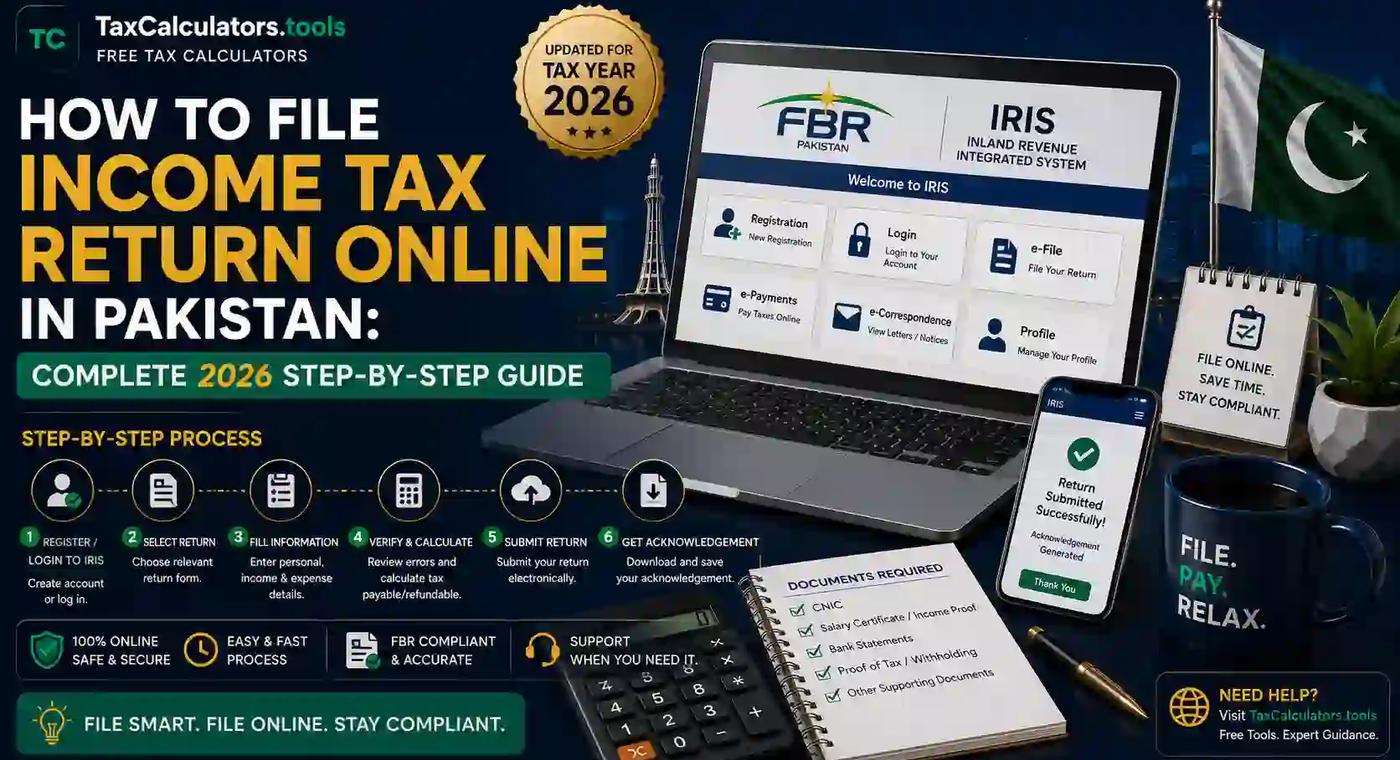
Having everything ready before you log into IRIS saves you from restarting halfway through. Keep these on hand:
- CNIC (valid, unexpired)
- Mobile number registered in your name (for verification)
- Active email address
- Salary certificate or income proof from employer
- Bank account details and annual bank statement
- Tax deduction certificates from your bank or employer
- Property ownership documents (if applicable)
- Vehicle registration details (if applicable)
- Details of any other income sources — rent, freelance work, investments, foreign remittances
Step-by-Step: How to File Income Tax Return Online in Pakistan
Here's the actual process, broken into manageable steps.
Step 1: Register on the FBR IRIS Portal
If you don't already have an NTN or IRIS account, you'll need to register first. Visit the official IRIS portal, select "Registration for Unregistered Person," and enter your CNIC, mobile number, and email. FBR sends verification codes to both, and once confirmed, your login credentials are generated automatically. For a walkthrough with screenshots of every field, see our FBR IRIS portal guide.
Step 2: Log In to IRIS
Once registered, log in using your CNIC (without dashes) as your username and the password you set during registration. If you've forgotten your credentials, IRIS lets you reset them via your registered mobile number or email. Our IRIS login guide explains what to do if you keep hitting login errors.
Step 3: Select the Correct Tax Year and Form
After logging in, go to the "Declaration" tab and choose "114(1) Return of Income" for the relevant tax year. Pakistan's tax year typically runs from July to June, so make sure you're filing for the correct period.
Step 4: Declare Your Income
This is the core of the return. Depending on your situation, you'll fill in:
- Salary income (from your employer's certificate)
- Business income (if self-employed)
- Property or rental income
- Capital gains, if you sold property, shares, or other assets
- Any other income, including foreign remittances
Cross-check the figures against your salary certificate and bank statements to avoid mismatches that could trigger a notice later.
Step 5: Fill the Wealth Statement
Next, complete the Wealth Statement (IT-J), listing your assets — property, vehicles, bank balances, investments — and liabilities such as loans. FBR compares this year's wealth statement with last year's, so any unexplained increase in assets should be reconcilable through your declared income.
Step 6: Verify and Submit
Once every section shows a green checkmark, IRIS will prompt you to verify your submission. This is usually done through a PIN sent to your registered mobile number rather than a formal digital signature, though larger businesses sometimes use digital certificates for additional authentication.
Step 7: Get Your Acknowledgment
After successful submission, IRIS generates an acknowledgment slip with a reference number. Download and save this — it's your proof of filing and is often required for visa applications, loan processing, or future FBR correspondence.
How Salaried Persons File Their Tax Return
If you're a salaried employee, most of your income tax is already deducted at source by your employer. Filing mainly involves confirming this figure matches your salary certificate, declaring any additional income (like freelance work or bank profit), and completing your wealth statement. Because the numbers are largely pre-filled or straightforward, salaried filing is usually the fastest category to complete — often in under 30 minutes once you have your documents ready.
How Freelancers and Business Owners File
Freelancers and business owners have a slightly more involved process since they're declaring gross income, allowable expenses, and net profit themselves rather than relying on an employer's certificate. If you invoice international clients, you'll also need to account for foreign remittances, which are treated differently for tax purposes. Our guide on FBR tax planning for freelancers breaks down deductible expenses and how to avoid overpaying.
How to File a Nil Tax Return
If you had no taxable income during the year but still want to maintain your filer status, you can submit a "Nil Return." The process on IRIS is identical, except you declare zero income while still completing the wealth statement. This is common among students, housewives, and individuals between jobs who want to stay on the Active Taxpayer List.
How Overseas Pakistanis Can File
Non-resident Pakistanis can register and file entirely online without visiting Pakistan. The registration process is the same, though you'll typically need a Pakistani mobile number for SMS verification — many overseas Pakistanis use a family member's number for this step, then update contact details later. Foreign-source income is generally treated differently under Pakistan's tax residency rules, so it's worth reviewing your specific situation carefully before declaring.
Common Mistakes to Avoid
A few recurring errors cause unnecessary delays or notices:
- Mismatched figures between your salary certificate and declared income
- Skipping the wealth statement, which is mandatory alongside the return
- Using an inactive mobile number, which blocks verification PINs
- Filing under the wrong tax year
- Forgetting to declare bank profit, even small amounts
- Not reconciling asset changes year-over-year in the wealth statement
Double-checking these before you hit submit saves you from having to file a revised return later.
Deadlines and Penalties for Late Filing
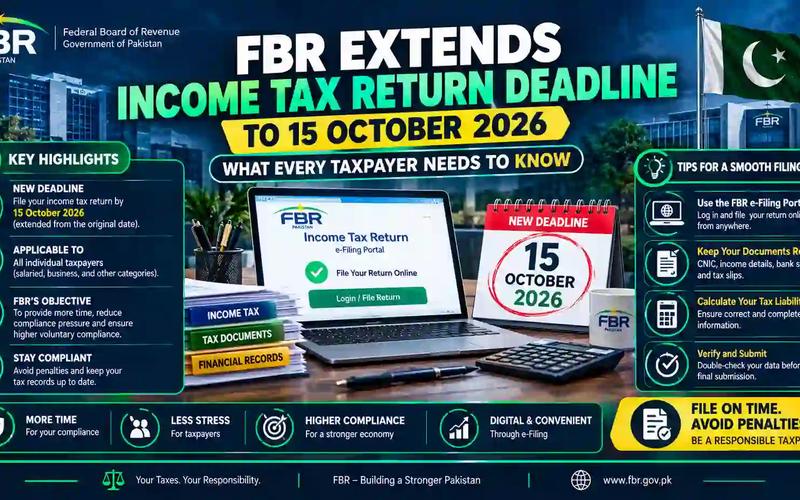
FBR typically sets September 30th as the standard deadline for individual filers, though this date is occasionally extended. Missing the deadline can mean:
- Removal from (or delayed addition to) the Active Taxpayer List
- Higher withholding tax rates on transactions until you file
- A monetary penalty for late filing, calculated based on your tax payable
For the exact current-year deadline and any announced extensions, check our regularly updated income tax return deadline guide and the FBR tax deadlines calendar.
How to Check Your Filer Status (ATL)
Once your return is processed, your name is added to the Active Taxpayer List, usually within a few weeks of filing. You can verify your status two ways:
- Search the ATL directly on the FBR website using your CNIC
- Send your CNIC via SMS to FBR's ATL verification number
If your status doesn't update as expected, our ATL status check guide explains the typical processing timeline and what to do if there's a delay.
Why Use Online Tax Calculators Before Filing
Before you enter numbers into IRIS, it helps to know roughly what you owe or should expect as a refund. This is where a dedicated tax calculator becomes genuinely useful — it lets you estimate your tax liability against current FBR slabs before you're locked into an official submission.
That's exactly why we built Tax Calculators — a free suite of Pakistan-specific tools including an income tax calculator, a salary tax calculator, and a dedicated FBR tax calculator updated for the latest tax year. Running your numbers here first means fewer surprises when you're inside IRIS, and it's especially useful if you want to compare monthly withholding against your annual liability — something our monthly vs annual salary tax guide explains in more detail.
If you haven't yet registered as a filer, start with our practical walkthrough on how to become a tax filer in Pakistan — it covers NTN registration and IRIS enrollment before you even get to the return itself.
For official confirmation of current tax rates, deadlines, and forms, the Federal Board of Revenue's official website remains the authoritative source and should always be your final reference point for anything time-sensitive.
Frequently Asked Questions
Is it mandatory to file an income tax return in Pakistan? Yes, if your income exceeds the taxable threshold, or if you own qualifying property, a vehicle above 1000cc, or run a business. Many others file voluntarily to gain filer status and its tax benefits.
What is the minimum income to file a tax return in Pakistan? The exact threshold changes with each Finance Act, so it's worth confirming the current tax year's figure on FBR's site or through an updated calculator before assuming you're exempt.
How can I check my NTN number online? Log into the IRIS portal and check under your registration profile, or use FBR's online NTN inquiry tool by entering your CNIC.
What happens if I don't file my tax return in Pakistan? You remain a non-filer, facing higher withholding tax rates on banking, property, and vehicle transactions, plus a possible late-filing penalty once you do eventually file.
Can I file my tax return myself without a consultant? Yes. IRIS is designed for self-filing, and salaried individuals in particular can usually complete the process without professional help. Business owners with complex income streams may still benefit from consulting a tax professional.
How can overseas Pakistanis file their tax return? The same IRIS registration and filing process applies remotely. You'll need a valid CNIC and a mobile number for SMS verification, which can belong to a trusted contact in Pakistan if you don't have a local SIM.
Conclusion
Filing your income tax return online in Pakistan comes down to preparation: gather your documents, register or log into IRIS, declare your income accurately, complete your wealth statement, and submit before the deadline. Once done, you'll be on the Active Taxpayer List and enjoying meaningfully lower tax rates on everything from bank transactions to vehicle registration.
Before you file, take a few minutes to estimate your liability with our free Pakistan tax calculators — it's the easiest way to walk into IRIS knowing exactly what to expect.
Important disclaimer
This article is for educational planning only. It does not provide professional tax, legal, accounting, payroll, customs, or financial advice. Tax rules can change and final results may depend on your personal facts. Always verify important tax decisions with official sources or a qualified professional.