If you've ever tried to open a business bank account, bid for a government contract, or simply wanted to stop paying the "non-filer tax" on your bank withdrawals, you've probably run into the same wall: you need an NTN. And if you're like most people in Pakistan, your next question is simple — do I need a new number, or is my CNIC already my NTN?
Here's the short answer: for individuals, your 13-digit CNIC is your NTN. But it only becomes functional once you register it with the Federal Board of Revenue (FBR) through the IRIS portal. That's really the whole story — the rest is just execution.
This guide walks you through exactly how to get your NTN number from your CNIC in 2026, what documents you'll need, how to verify your registration once it's done, and how to avoid the small mistakes that cause most applications to stall. Whether you're a salaried employee, a freelancer, or a small business owner, you'll find your exact path below.
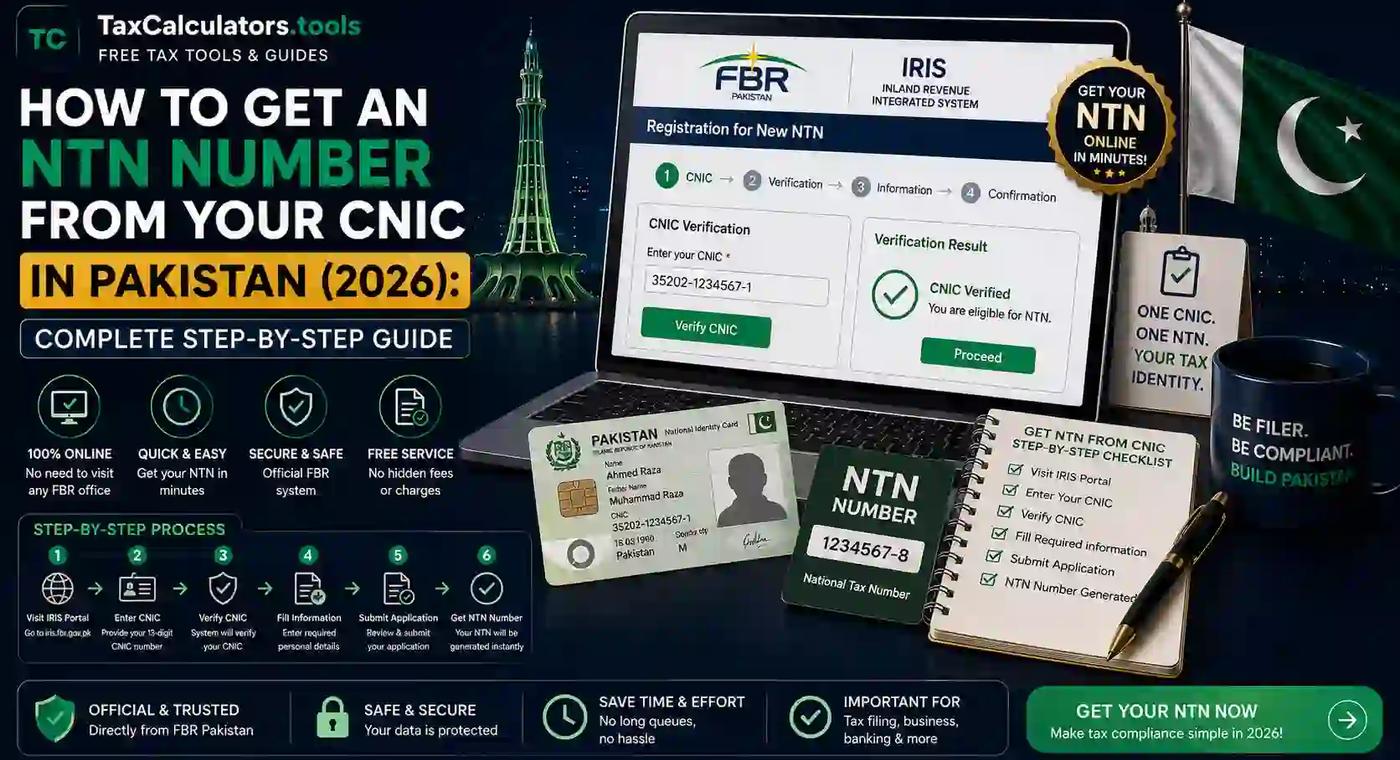
To get an NTN from your CNIC in Pakistan, visit iris.fbr.gov.pk, click "Registration for Unregistered Person," enter your 13-digit CNIC, verify your mobile number and email with the OTP sent to you, and complete Form 181. Once submitted, your CNIC becomes your registered NTN — usually within minutes for individuals. The process is completely free.
What Is an NTN and How Is It Linked to Your CNIC?
NTN stands for National Tax Number — a unique identifier the FBR uses to track every taxpayer in Pakistan. Think of it as your financial fingerprint. Every income tax return you file, every sales tax invoice you issue, and every property or vehicle transaction above a certain threshold gets tied back to this one number.
Here's where a lot of confusion comes from: Pakistan used to issue separate NTN numbers that looked nothing like your CNIC. That changed years ago. Today, if you're an individual — whether salaried, self-employed, or a sole proprietor — your CNIC number doubles as your NTN once you're registered with FBR. You don't get handed a brand-new set of digits. You simply "activate" your existing CNIC inside the tax system.
The exception is companies and Associations of Persons (AOPs). These entities are registered separately, often through an SECP integration with FBR, and they receive a distinct company NTN that isn't tied to any individual's CNIC.
So when people ask, "Is CNIC the same as NTN in Pakistan?" — for individuals, yes, functionally. The number is identical; what changes is your registration status. An unregistered CNIC has no tax standing. A registered one does.
Why You Actually Need an NTN in 2026
FBR has tightened enforcement significantly over the past couple of years, and 2026 is no exception. Here's what having an active NTN actually unlocks — and what happens if you skip it.
You need an NTN to:
- File your annual income tax return
- Open a business or current bank account
- Register for sales tax if you're running a business
- Import or export goods
- Bid on government or corporate contracts
- Buy or sell property above certain value thresholds
- Purchase a vehicle or transfer ownership
- Avoid the higher withholding tax rates charged to non-filers on banking transactions, dividends, and property deals
That last point matters more than people realize. Non-filers in Pakistan pay noticeably higher withholding tax on cash withdrawals, profit on savings accounts, and property transactions than filers do. Simply having your NTN registered and then filing your annual return — even a nil return if your income is below the taxable threshold — can save you real money over a year. If you want to see exactly how the filer-vs-non-filer gap affects your take-home income, our breakdown on filer vs non-filer tax rates in Pakistan lays out the numbers side by side.
Documents Required for NTN Registration in Pakistan
Before you sit down to register, have these ready. It'll save you from restarting the process halfway through.
For salaried individuals:
- Original CNIC (front and back, clear scan)
- Active mobile number registered in your own name (biometrically verified)
- Personal email address you check regularly
- Employer's name and NTN (if available)
- A recent utility bill (electricity, gas, or landline) for your residential address
For freelancers and self-employed individuals:
- Everything above, plus
- Nature of your freelance work (IT services, design, writing, consulting, etc.)
- Bank account details (IBAN) if you're registering to receive foreign remittances at filer rates
For sole proprietors and small businesses:
- Everything above, plus
- Business name and address
- Business utility bill or rental agreement
- Letterhead (for some business categories)
- Business activity/classification code
For companies and AOPs:
- SECP incorporation certificate or partnership deed
- Memorandum and Articles of Association (for companies)
- CNICs of all directors, partners, or members
- Business bank account details
- Registered office utility bill
If you're not sure which registration category fits your situation — especially if you're weighing sole proprietorship against a private limited company — it's worth reading through the differences before you start. Our guide on business structure registration breaks down which setup makes sense depending on your income level and growth plans.
Step-by-Step: How to Register for NTN on FBR IRIS Portal
Here's the part everyone actually wants. This process takes about 15–20 minutes if you have your documents ready, and it's entirely free — never pay anyone for the "government registration fee," because there isn't one.
Step 1: Go to the official IRIS portal
Open iris.fbr.gov.pk in your browser. This is the FBR's official digital tax office, and it's the only place you should be entering your CNIC and personal details. If you're unfamiliar with how the portal is laid out, our FBR IRIS portal guide walks through the interface before you dive in.
Step 2: Click "Registration for Unregistered Person"
You'll see this option directly below the login fields on the homepage. Since you're not yet a registered taxpayer, this is your entry point — don't try to log in first.
Step 3: Enter your 13-digit CNIC number
Type your CNIC without dashes. Double-check every digit here; a single typo will cause a mismatch later when FBR cross-verifies your details with NADRA's database.
Step 4: Verify your mobile number and email
Select your mobile network and enter the number registered against your own CNIC (it must be biometrically verified — a SIM registered to someone else won't work). You'll receive an OTP by SMS and another verification code by email. Enter both correctly to move forward.
Step 5: Complete Form 181 (Application for Registration)
Inside your IRIS dashboard, navigate to Draft → Registration and open Form 181. Fill in:
- Personal details (name, father's name, date of birth — these should auto-populate from NADRA)
- Residential address
- Occupation and source of income
- Business name, address, and activity code, if applicable
Accuracy is everything here. Mismatched addresses or incorrect occupation codes are the single biggest reason applications get delayed or rejected.
Step 6: Attach your documents
Upload clear, high-resolution scans of your CNIC and utility bill, plus any business documents required for your category.
Step 7: Review and submit
Go through every field one more time before hitting submit. For individuals, registration is typically processed within minutes to a couple of hours. Business, AOP, and company registrations take longer since FBR manually verifies supporting documents.
Step 8: Save your login credentials
Once approved, IRIS will send your login password to your registered email. Keep this somewhere safe — you'll need it every time you log in to file returns or download your certificate.
If you'd rather have someone handle the paperwork and document review for you, our NTN registration service manages the entire IRIS process end-to-end, which is especially useful if you're registering a business or AOP where document accuracy really matters.
How to Check or Verify Your NTN Online
Already registered but not sure if your NTN is active? Verification takes less than two minutes and works even if you've forgotten your IRIS password.
Method 1: FBR Online Verification (Taxpayer Profile Inquiry)
- Go to the FBR's Online Verification Services or access it through the IRIS portal
- Select "Taxpayer Profile Inquiry"
- Under Parameter Type, choose CNIC
- Enter your 13-digit CNIC (no dashes) in the Registration No. field
- Complete the captcha and click Verify
If you're registered, your NTN and registration details appear instantly. If nothing shows up, you likely haven't completed registration yet, or your application is still processing.
Method 2: SMS verification
No internet access? Send your CNIC number to the FBR's shortcode 9966 from the SIM registered against your own CNIC. You'll get an automated reply within seconds confirming your NTN status. This works on Jazz, Zong, Telenor, and Ufone.
Method 3: Active Taxpayer List (ATL) check
Being registered and being an "active filer" aren't quite the same thing. Registration confirms you're in the system; ATL status confirms you've filed your return and are enjoying filer tax rates. You can check this separately by downloading the weekly ATL file from FBR or searching your CNIC directly. Our ATL and filer status check-and-fix guide explains what to do if you're registered but still showing as inactive.
All of these checks are completely free — never pay a third party just to "verify" your NTN.
NTN for Salaried Persons vs Freelancers vs Business Owners vs Companies
The registration steps are broadly the same for everyone, but a few details change depending on which category you fall into.
Salaried individuals
If you're employed and your employer already deducts withholding tax from your salary, there's a decent chance you're already partially in FBR's system. Registering formally through IRIS and filing your return each year is what activates your filer status. For most salaried people, this is a one-time, straightforward process — your CNIC becomes your NTN, and your annual obligation is just filing on time.
Freelancers
Freelancers earning through platforms like Upwork, Fiverr, or direct international clients should register as self-employed individuals under Form 181. This isn't optional busywork — it directly affects the withholding tax rate applied to your foreign remittances. Registered filers typically enjoy a meaningfully lower deduction rate on incoming payments compared to non-filers. If freelance income is your main source of earnings, it's worth reading our dedicated FBR tax planning guide for freelancers to understand how to structure your declarations correctly.
Sole proprietors and small businesses
You register your business activity under your personal NTN — there's no separate business NTN for a sole proprietorship. You'll select a business classification code during registration, which determines how your income is categorized for tax purposes.
Companies and Associations of Persons (AOPs)
These are the exception to the "CNIC is your NTN" rule. Companies register through SECP first, and that incorporation data feeds into FBR to generate a distinct company NTN. If you're setting up a private limited company, our company registration guidance covers how the SECP and FBR steps connect.
Filer vs Non-Filer: Why It Actually Matters
Registering for an NTN gets you into the system. Filing your annual return is what makes you an active filer. The gap between these two statuses is where most of the financial impact happens.
Non-filers in Pakistan face higher withholding tax rates across the board — on bank cash withdrawals above certain limits, on profit earned from savings accounts, on property purchases and sales, and on vehicle registration. Filers pay noticeably less on all of these.
There's also a direct penalty for late or non-filing: FBR charges a daily surcharge for late submissions, and prolonged non-compliance can result in your name being flagged for scrutiny or notices. Filing a return costs nothing if your income is below the taxable threshold — you simply submit a nil return — but it keeps your ATL status active and protects you from these extra charges.
If you've never filed before and aren't sure where to start, our step-by-step walkthrough on how to become a tax filer in Pakistan picks up exactly where this NTN registration process leaves off. And once you're ready to file, our online income tax return filing guide for 2026 covers the IRIS filing steps in full.
Common Mistakes During NTN Registration (and How to Fix Them)
Most registration delays come down to a handful of avoidable errors. Here's what to watch for.
Mismatched personal details. If the name or address you enter doesn't match NADRA's records exactly, your application gets flagged. Pull up your CNIC while filling the form and copy details exactly as printed.
Using someone else's SIM. The mobile number you register must be biometrically verified against your own CNIC. A family member's SIM, even if you use it daily, won't pass verification.
Not receiving the OTP. This usually happens if your number was recently ported between networks. Send a blank SMS to 9966 to reset the routing, wait a few minutes, and request the OTP again.
Selecting the wrong business activity code. This is a common issue for freelancers and small business owners. An incorrect code can misclassify your income and cause complications later when filing returns or applying for sales tax registration.
Forgetting to save your password. IRIS sends your login credentials to your registered email once approved. If you lose access, you'll need to use the "Forgot Password" option on the login page rather than starting a new registration — creating a duplicate account will only cause more delays. Our IRIS login guide covers exactly how to recover access if you're ever locked out.
Incomplete or blurry document uploads. A pixelated CNIC scan or an outdated utility bill is one of the most common reasons business registrations sit in a pending queue for weeks. Take a moment to rescan documents properly rather than uploading whatever photo is already on your phone.
If your registration is stuck or repeatedly rejected, it's often faster to have a professional review the application before resubmitting. Our NTN verification service can identify exactly where an application went wrong.
How to Download Your NTN Certificate
Once your registration is approved, you'll want a copy of your certificate for bank account opening, business documentation, or simply your own records.
- Log in to iris.fbr.gov.pk using your NTN/CNIC and password
- Navigate to Registration → View Registration
- A certificate preview will typically be available on screen
- Use the Download or Print option to save it as a PDF
Keep both a digital copy and a printed one. Banks and corporate clients often ask for a physical copy alongside your CNIC when you're opening a business account or signing a contract.
If your IRIS login isn't working or you never received your credentials, visiting your nearest Regional Tax Office (RTO) or Tax Facilitation Centre with your original CNIC is the fallback option — they can issue a stamped certificate directly.
NTN Registration by City
The registration process on IRIS is identical no matter where you live in Pakistan — it's a national online system. But if you'd rather register in person, or you run into an issue that needs a physical visit, here's where to go depending on your city.
Islamabad: The Regional Tax Office and Tax Facilitation Centre in Islamabad handle walk-in registrations and document verification for residents and small businesses across the capital. If you'd rather skip the queue, our Islamabad tax services handle NTN registration and related FBR paperwork locally.
Lahore: Lahore's RTO facilitation centres are among the busiest in the country given the city's business volume. For faster turnaround, especially for company or AOP registrations, check our Lahore-based services.
Karachi: As Pakistan's commercial hub, Karachi sees a high volume of business NTN and sales tax registrations. Our Karachi services page covers everything from individual registration to company incorporation support.
Faisalabad, Rawalpindi, and Multan: These cities also have dedicated RTOs and facilitation centres, though for most individuals the online IRIS process remains faster than an in-person visit.
Wherever you're based, remember: online registration through IRIS is always free and available 24/7, so an in-person visit is really only necessary if you're troubleshooting an issue the portal can't resolve.
Frequently Asked Questions
Is CNIC the same as NTN in Pakistan? For individuals, yes. Your 13-digit CNIC becomes your NTN once you complete registration on the FBR IRIS portal. Companies and AOPs receive a separate NTN through SECP integration.
Is NTN registration free in Pakistan? Yes, registering on IRIS is completely free. You should never be asked to pay a government fee for basic individual NTN registration — only consultancy or filing services charge a fee, and that's optional.
How long does it take to get an NTN in Pakistan? For individuals, registration is often processed within minutes to a few hours once submitted correctly. Business, AOP, and company registrations can take longer, typically a few days, while FBR verifies supporting documents.
Can I register for NTN without a mobile SIM registered on my own CNIC? No. The mobile number used during registration must be biometrically verified against your own CNIC, since FBR sends an OTP to confirm your identity.
Can freelancers get an NTN in Pakistan? Yes. Freelancers register as self-employed individuals through Form 181 on IRIS, and doing so typically reduces the withholding tax rate applied to foreign remittances.
What happens if I don't register for an NTN? You won't be able to file tax returns, open a business bank account, or benefit from lower filer tax rates. You'll also remain classified as a non-filer, which means higher withholding tax on banking transactions, property deals, and vehicle purchases.
Can I check my NTN status through SMS? Yes. Send your CNIC number to FBR's shortcode 9966 from your registered SIM, and you'll receive an automated confirmation of your NTN and registration status within seconds.
Is a separate NTN number issued to individuals, or is it always the same as their CNIC? For individuals — salaried, self-employed, or sole proprietors — no separate number is issued. Your CNIC serves as your NTN once your registration is activated in the FBR system.
Final Thoughts
Getting an NTN from your CNIC in Pakistan really isn't the bureaucratic headache people assume it is. The entire process happens online, costs nothing, and for most individuals takes less time than a lunch break. The part that actually matters is accuracy — matching your details exactly to your CNIC, using a properly verified SIM, and uploading clean document scans the first time around.
Once you're registered, don't stop there. Registration alone doesn't make you a filer — filing your annual return, even a nil one, is what activates your lower tax rates and keeps you off FBR's non-compliance radar. If you're not sure how your income stacks up against the current tax slabs, our income tax calculator gives you a quick, accurate estimate before you file, and our salary tax calculator is built specifically for salaried employees working out their monthly withholding.
Whether you handle the registration yourself through IRIS or have our team manage it for you, the goal is the same: get your NTN active, get filed, and stop overpaying just because you put the paperwork off.
Important disclaimer
This article is for educational planning only. It does not provide professional tax, legal, accounting, payroll, customs, or financial advice. Tax rules can change and final results may depend on your personal facts. Always verify important tax decisions with official sources or a qualified professional.